This tutorial guides you through the process of creating a list in ActiveCampaign, which is essential for sending marketing emails to your contacts.
Introduction
Creating a list in ActiveCampaign is a crucial step before sending marketing emails. In this tutorial, we will walk you through the entire process, from navigating the platform to saving your newly created list. Follow these steps to ensure your contacts are organized effectively and ready to receive your communications.
How to Instructions
1. Navigate to Contacts and Lists
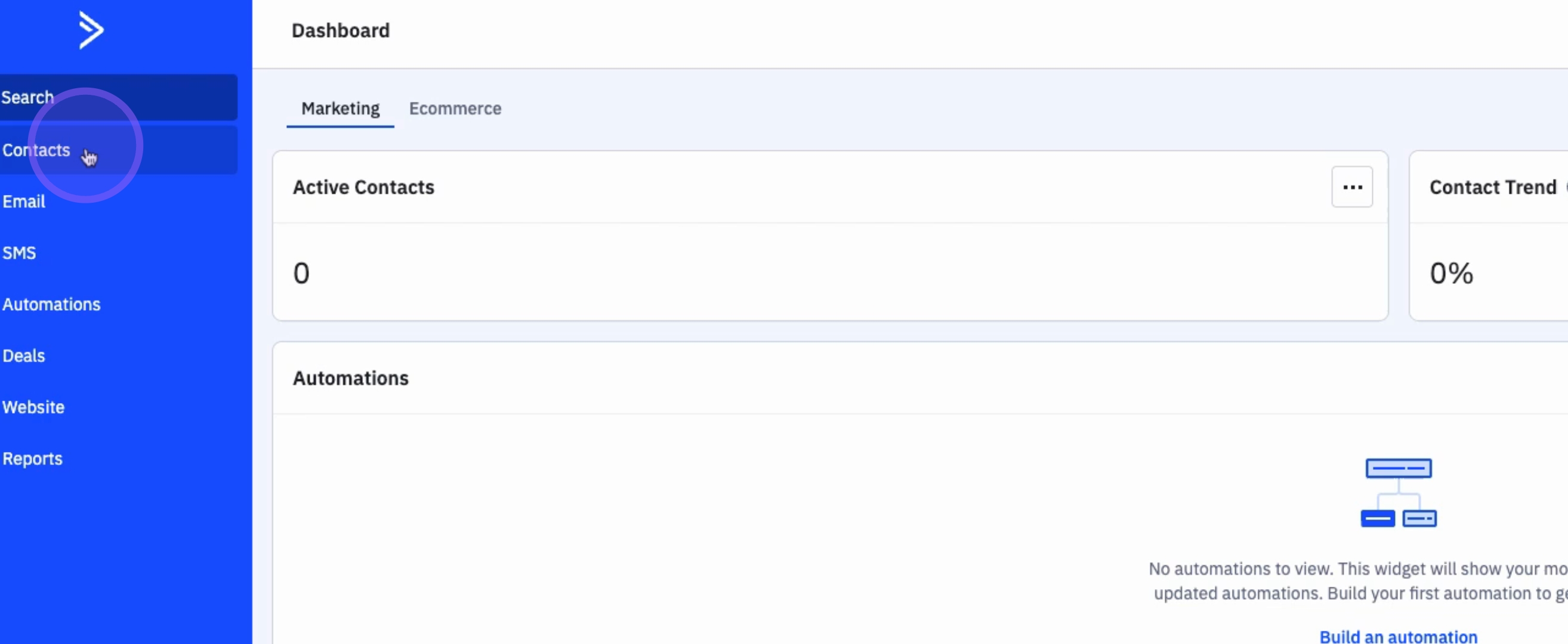
To begin the list creation process, click on Contacts.
Then, click on Lists.
2. Adding a New List
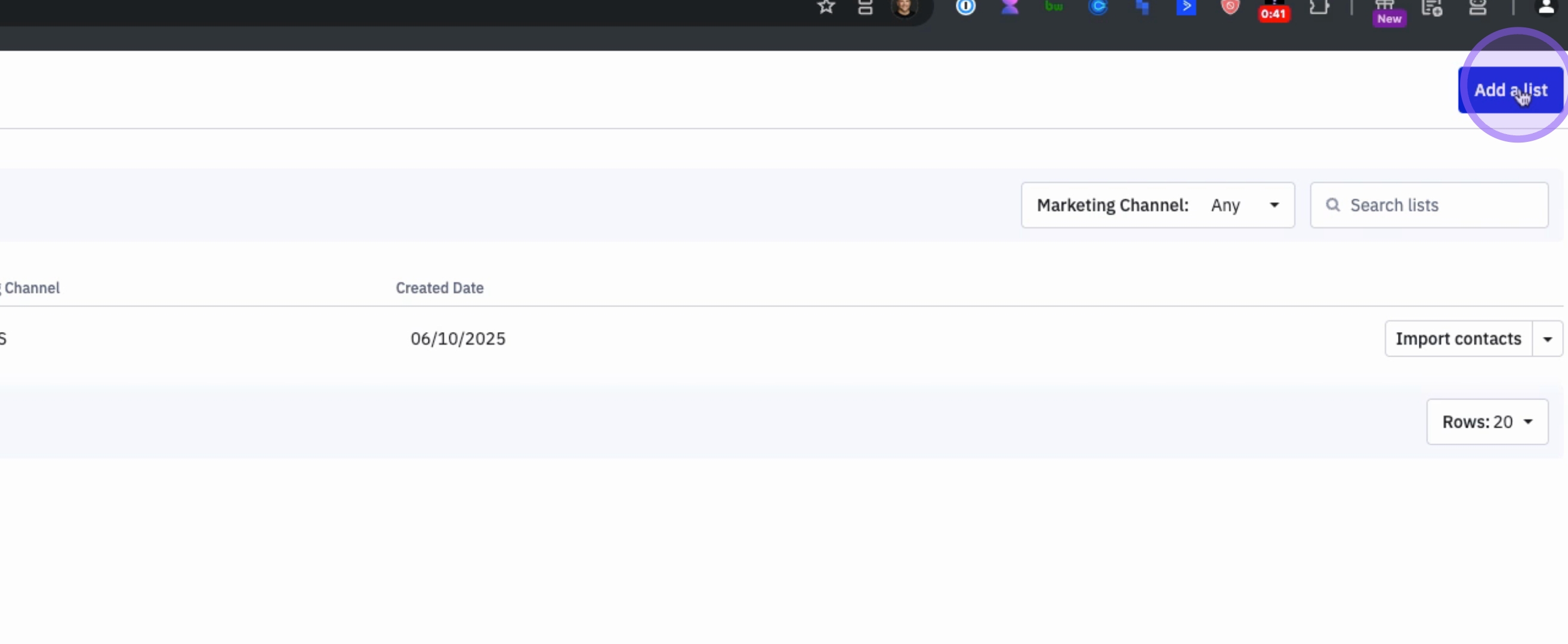
To create a list, click on Add a List.
3. Enter the List Name
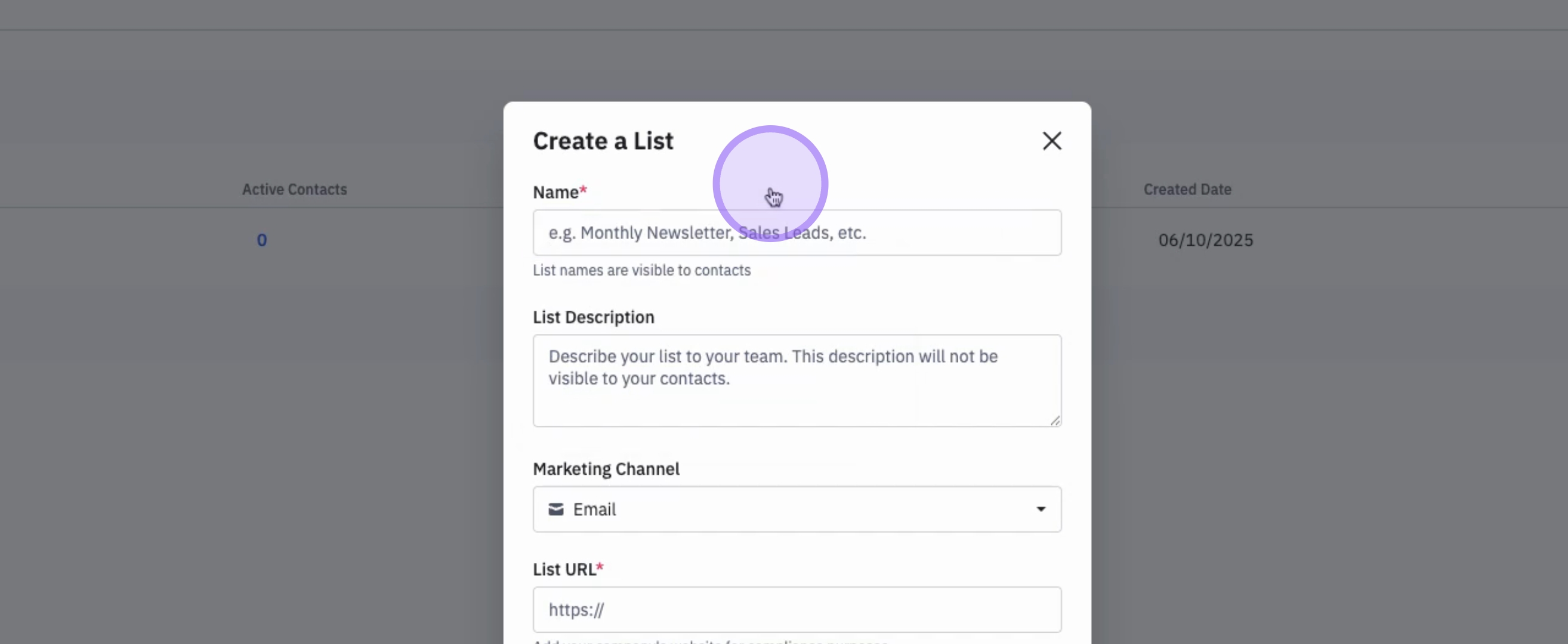
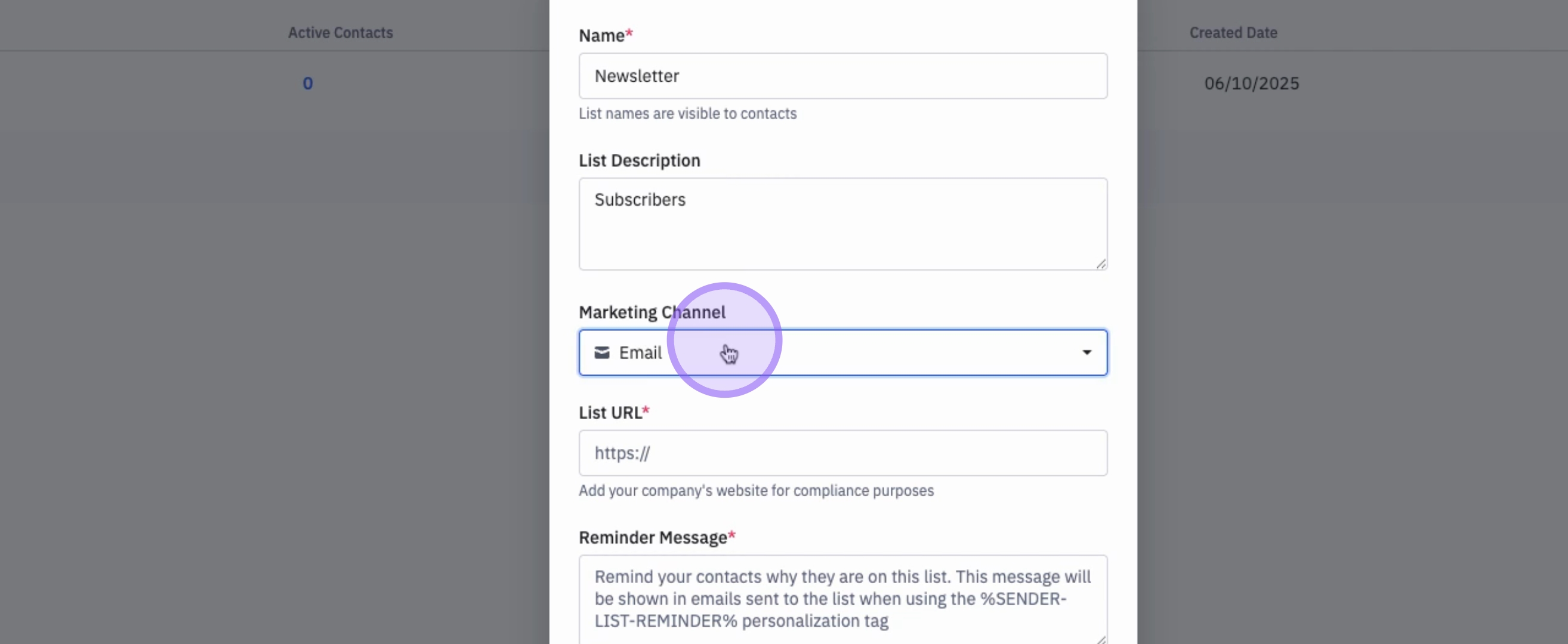
Add a Name for your list.
4. Define the List Name Visibility
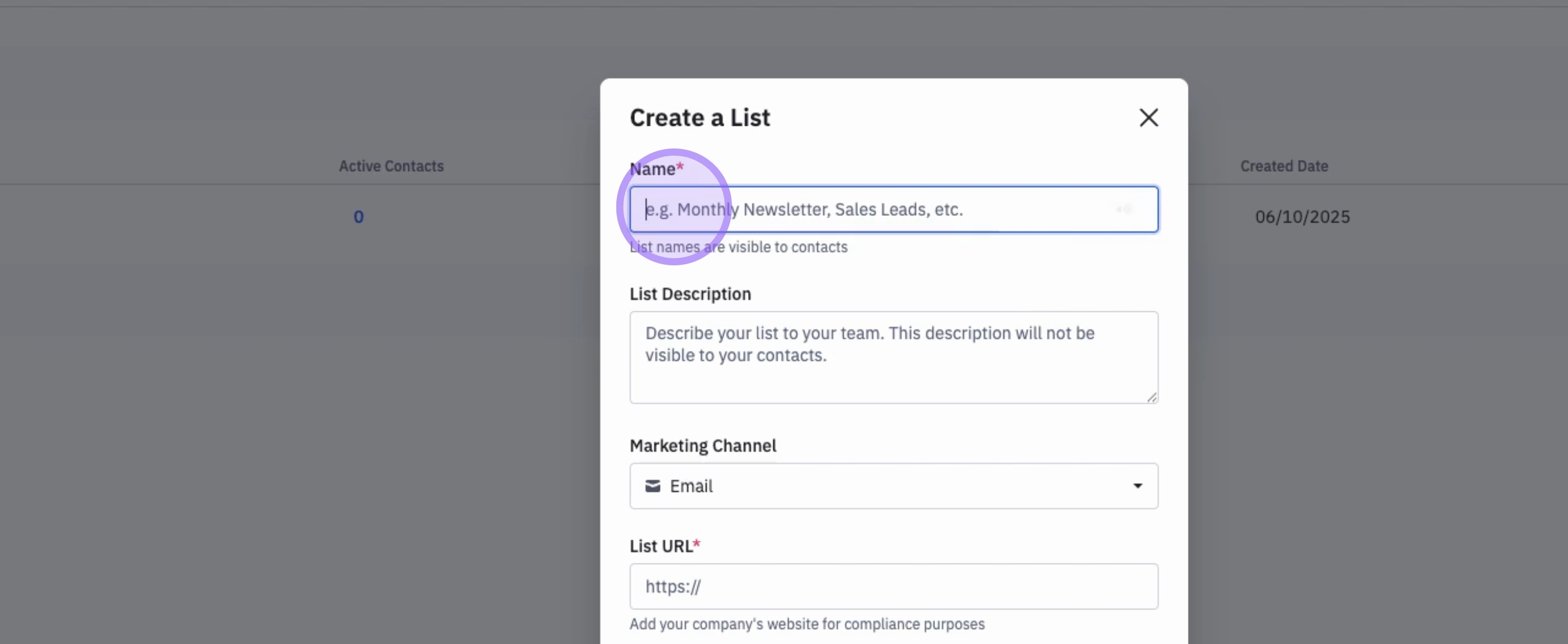
This name will be visible to your contacts. For example, you can enter example newsletter.
5. Enter a List Description
You can then enter a List Description, which will not be visible to your contacts.
6. Specify the Marketing Channel
Remember that the marketing channel for this list is email.
7. Compliance Requirements
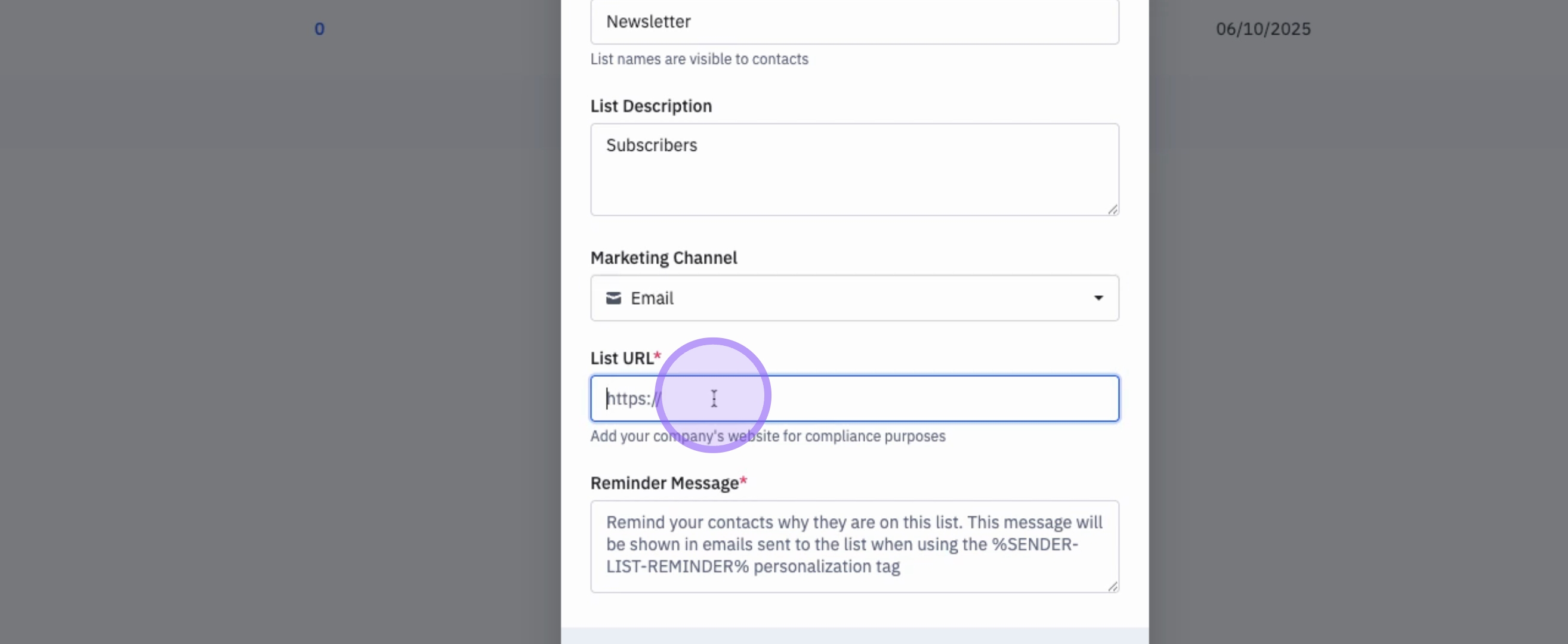
For compliance, you need to enter the URL of your company's website.
8. Remind Contacts of Their Subscription
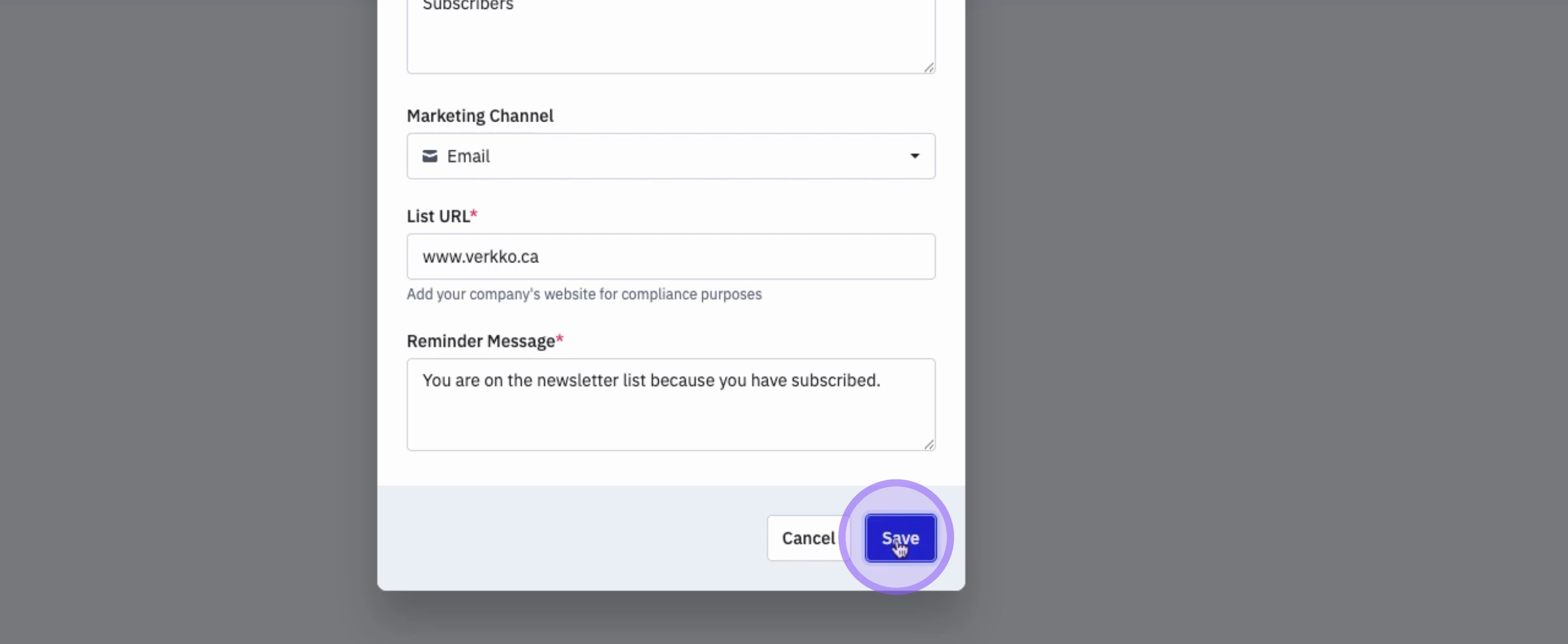
Finally, you need to remind contacts why they are on that list.
9. Save Your List
To create the list, click on Save.
10. Review Your List
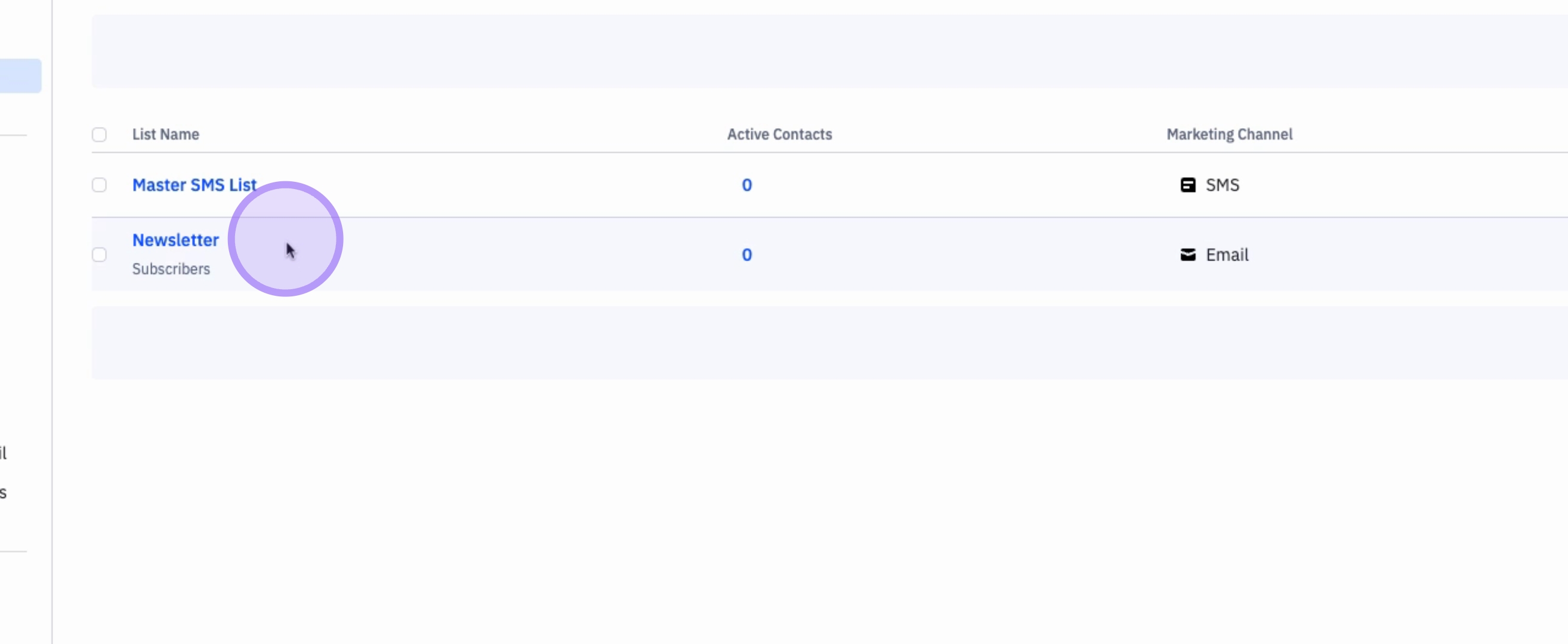
Your list is now created, and you can see how many contacts or subscribers are subscribed to that list.
Conclusion
By following these steps, you have successfully created a list in ActiveCampaign, allowing you to manage your contacts effectively and reach out to them with marketing emails.